 GitBucket
WireGuard Configuration Portal with LDAP connection
 Christoph Haas
authored
on 17 Nov 2020
Christoph Haas
authored
on 17 Nov 2020
|
|||
|---|---|---|---|
| assets | 5 years ago | ||
| cmd/ wg-portal | 5 years ago | ||
| internal | 5 years ago | ||
| scripts | 5 years ago | ||
| .gitignore | 5 years ago | ||
| .travis.yml | 5 years ago | ||
| Dockerfile | 5 years ago | ||
| LICENSE.txt | 5 years ago | ||
| Makefile | 5 years ago | ||
| README.md | 5 years ago | ||
| docker-compose.yml | 5 years ago | ||
| go.mod | 5 years ago | ||
| screenshot.png | 5 years ago | ||
WireGuard Portal






A simple web base configuration portal for WireGuard.
The portal uses the WireGuard wgctrl library to manage the VPN
interface. This allows for seamless activation or deactivation of new users, without disturbing existing VPN
connections.
The configuration portal is designed to use LDAP (Active Directory) as a user source for authentication and profile data.
It still can be used without LDAP by using a predefined administrator account. Some features like mass creation of accounts
will only be available in combination with LDAP.
Features
- Self-hosted and web based
- Automatically select IP from the network pool assigned to client
- QR-Code for convenient mobile client configuration
- Sent email to client with QR-code and client config
- Enable / Disable clients seamlessly
- Generation of
wgX.confafter any modification - IPv6 ready
- User authentication (LDAP and/or predefined admin account)
- Dockerized
- Responsive template
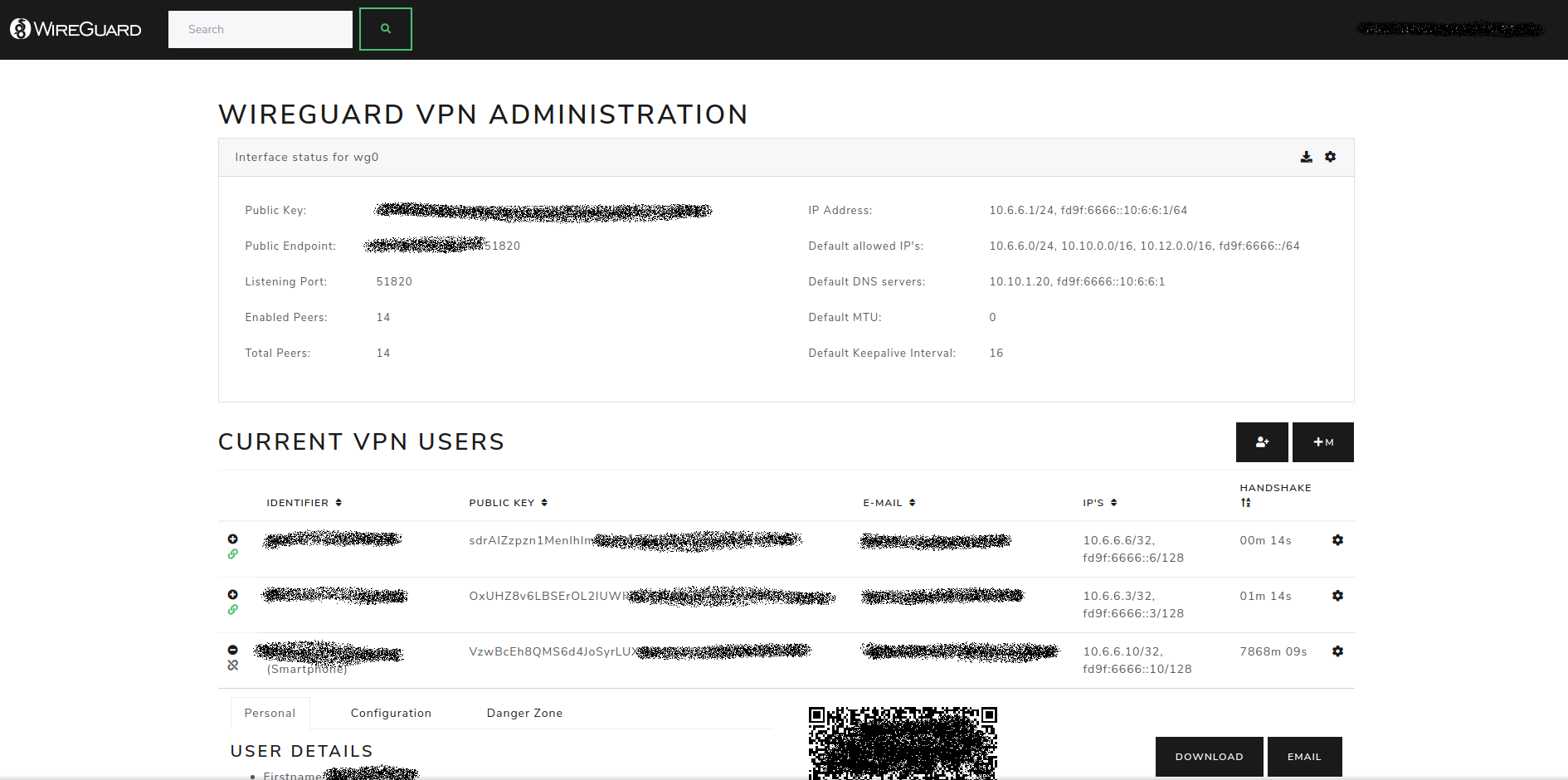
Setup
Docker
The easiest way to run WireGuard Portal is using the provided docker image.
Docker compose snippet, used for demo server
version: '3.6'
services:
  wg-portal:
    image: h44z/wg-portal:latest
    container_name: wg-portal
    restart: unless-stopped
    cap_add:
      - NET_ADMIN
    network_mode: "host"
    volumes:
      - /etc/wireguard:/etc/wireguard
      - ./data:/app/data
    ports:
      - '8123:8123'
    environment:
      - EXTERNAL_URL=https://vpn.company.com
      - WEBSITE_TITLE=WireGuard VPN
      - COMPANY_NAME=Your Company Name
      - MAIL_FROM=WireGuard VPN <[email protected]>
      - ADMIN_USER=admin  # optional admin user
      - ADMIN_PASS=supersecret
      - ADMIN_LDAP_GROUP=CN=WireGuardAdmins,OU=Users,DC=COMPANY,DC=LOCAL
      - EMAIL_HOST=10.10.10.10
      - EMAIL_PORT=25
      - LDAP_URL=ldap://srv-ad01.company.local:389
      - LDAP_BASEDN=DC=COMPANY,DC=LOCAL
      - [email protected]
      - LDAP_PASSWORD=supersecretldappassword
Please note that mapping /etc/wireguard to /etc/wireguard inside the docker, will erase your host's current configuration.
If needed, please make sure to backup your files from /etc/wireguard.
For a full list of configuration options take a look at the source file internal/common/configuration.go.
Standalone
For a standalone application, use the Makefile provided in the repository to build the application.
make
The compiled binary and all necessary assets will be located in the dist folder.
What is out of scope
- Generation or application of any
iptablesornftablesrules -
Setting up or changing IP-addresses of the WireGuard interface
Application stack
- go-template, data-driven templates for generating textual output
- Bootstrap, for the HTML templates
- JQuery, for some nice JavaScript effects ;)
License
- MIT License. MIT or https://opensource.org/licenses/MIT
This project was inspired by wg-gen-web.